
Download ColorAid – Color Code Extraction, Color Mixing, Web Design Tool
Overview
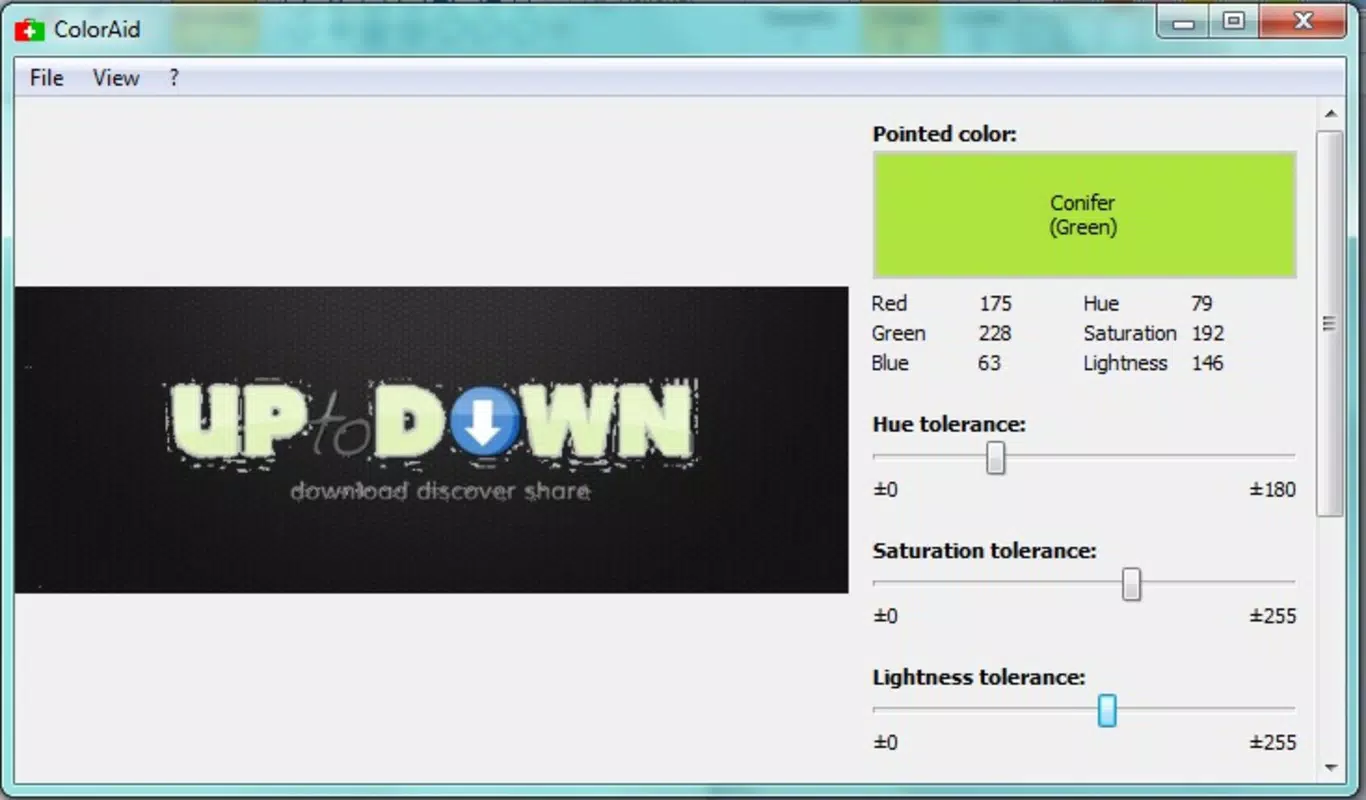
ColorAid is a web-based utility designed to simplify the process of extracting precise color codes from any digital image. By allowing users to upload photographs, drawings, or other visual content and hover over specific areas, the application delivers exact color values in multiple formats—ideal for web designers, developers, and creative professionals. Its primary function is to bridge the gap between visual inspiration and technical implementation, enabling accurate color replication in design workflows. The app addresses a common challenge in digital design: translating real-world or image-based colors into usable hexadecimal, RGB, or HSL codes.
Target users include web developers, graphic designers, UI/UX creators, and hobbyists engaged in digital art or branding. Whether working on a website, mobile interface, or creative project, ColorAid streamlines the process of color selection and matching. Its ability to break down a color into its constituent primary components further enhances its educational and practical value, promoting a deeper understanding of color theory. Although the developer did not provide additional technical details about the app’s architecture or underlying algorithms, its long-standing presence since 2014 suggests reliability and consistent functionality.
ColorAid operates as a standalone web tool, meaning no installation is required. This makes it highly accessible across devices and platforms. Its role in the digital design ecosystem is significant, serving as a lightweight yet powerful resource for color precision—especially in collaborative or time-sensitive design environments.
Key Features & Functionality
- Color Code Extraction: Users can upload any image and hover over specific areas to instantly retrieve color codes in standard formats such as HEX, RGB, and HSL. This feature is particularly useful when matching a brand’s exact shade from a reference image or replicating a color from a photograph.
- Primary Color Breakdown: Beyond identification, ColorAid reveals the mix of primary colors (red, green, blue) required to recreate a selected hue. This supports both practical design tasks and educational purposes, helping users understand how colors are constructed digitally.
- Color Manipulation Options: The app allows users to adjust saturation and brightness in real time, enabling the creation of custom shades. This feature supports experimentation without requiring external design software, making it ideal for rapid prototyping.
- User-Friendly Interface: Designed with accessibility in mind, the interface features clean navigation, minimal clutter, and intuitive controls. Even users with limited design experience can quickly learn to use the tool effectively.
- Versatile Application: While tailored for web and digital design, the tool also benefits artists, educators, and content creators who need accurate color data from visual sources.
For example, a web designer working on a client’s website can upload a logo image, extract the dominant colors, and immediately apply them to the site’s stylesheet. Similarly, a student learning color theory can use the primary color breakdown to visualize how different combinations produce specific hues.
Interface, UX & Performance
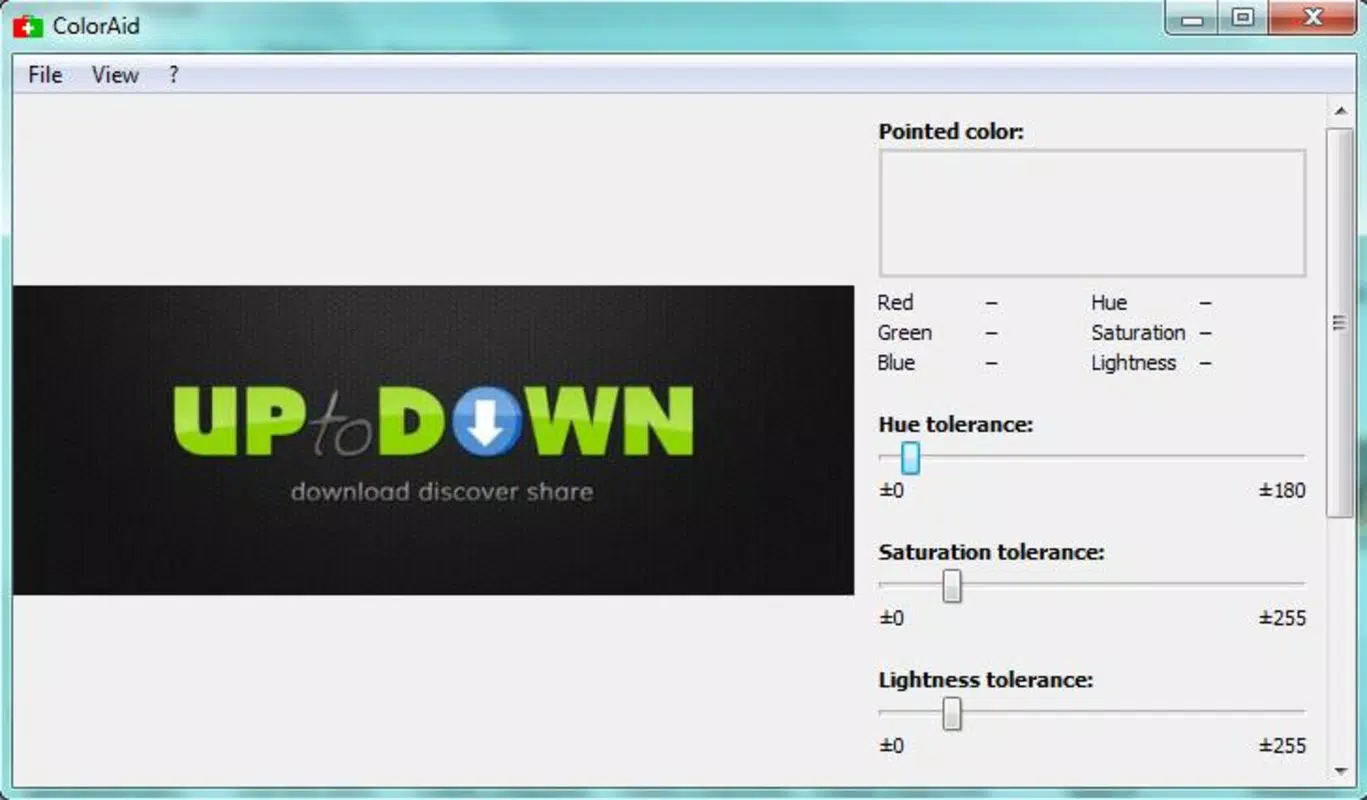
ColorAid presents a minimalist, clean interface that prioritizes functionality over visual flair. The layout centers around an image upload zone, with a real-time color picker overlay that activates upon hovering. Navigation is straightforward, relying on intuitive mouse interactions rather than complex menus or gestures. This simplicity enhances usability across skill levels, reducing the learning curve for new users.
Although the developer did not list formal performance metrics, the app’s lightweight footprint—1.5 MB—suggests efficient resource usage. The web-based nature ensures compatibility with modern browsers and responsive behavior across various screen sizes. Users can expect stable performance on desktop and tablet devices, with minimal lag during image processing and color extraction.
Responsiveness is consistent, with immediate feedback when hovering over image areas. Stability appears robust, given the app’s long operational history since 2014. However, specific requirements for device categories, such as mobile support or browser compatibility, were not fully disclosed. No reported issues with crashes or data loss were found in publicly available information.
Platform Compatibility & Technical Requirements
ColorAid is a web-based application, accessible through modern browsers on any device with internet connectivity. It does not require a dedicated mobile app or installation process. The platform is compatible with all major operating systems, including Windows, macOS, Linux, and mobile web browsers, though specific OS versions were not listed.
The app’s file size is 1.5 MB, indicating a lightweight, fast-loading experience. Since it runs entirely in the browser, no additional software or system permissions are needed. The developer did not specify minimum OS requirements or browser versions, nor did they mention support for offline use or progressive web app (PWA) features.
Users should ensure they have a stable internet connection to access the tool. While the app functions without installation, its reliance on browser capabilities means performance may vary slightly depending on the device’s processing power and network speed.
Pros and Cons
Pros
- Free to use with no hidden fees or subscriptions.
- Lightweight design with fast loading times (1.5 MB).
- Intuitive interface suitable for beginners and experts alike.
- Provides multiple color formats (HEX, RGB, HSL) for flexibility.
- Offers educational value through primary color breakdown.
Cons
- No dedicated mobile app; limited to web browser access.
- Specific technical requirements and browser compatibility were not disclosed.
- Limited to desktop and tablet use via browser; no offline functionality.
- May not support advanced image formats or high-resolution files beyond standard web use.
- Developer did not provide update frequency or roadmap details.
FAQ
Is ColorAid safe to use?
Yes, ColorAid is a web-based tool that processes images locally in your browser. No data is uploaded to external servers, ensuring user privacy and security.
Can I use ColorAid on my smartphone?
Yes, you can access ColorAid through a mobile web browser. However, the app is not available as a dedicated mobile application.
Does ColorAid support offline use?
No, the app requires an active internet connection to function. It does not support offline or PWA (Progressive Web App) modes.
What file types are supported?
While the developer did not specify supported formats, the app is designed to work with standard web image types such as JPEG, PNG, and GIF.
How often is ColorAid updated?
The developer did not disclose update frequency. However, the app has remained functional since its release in 2014, suggesting ongoing maintenance.
Final Thoughts
ColorAid stands out as a reliable, no-cost solution for anyone needing accurate color extraction and manipulation. Its clean interface, combined with powerful features like primary color breakdown and real-time adjustments, makes it a valuable asset in design workflows. While it lacks a mobile app and offline capabilities, its web-based accessibility ensures broad reach across devices. The tool is especially beneficial for web developers, graphic designers, and educators who value precision and simplicity.
For users seeking a secure, lightweight, and efficient way to extract and customize colors from images, ColorAid delivers consistent performance without compromise. Its long-standing presence in the digital design space speaks to its enduring utility.
Download ColorAid now


